CART•[[chatnum]]
- No products in the cart.
-
-
-
specifications: [[item.skuinfo]]
price: [[item.currency]][[item.price]]
[[item.currency]][[item.allPrice]]
-
-
Price
[[listData.currency]][[listData.discount_price]]
[[listData.currency]][[listData.price]]
save [[parseInt((1-listData.discount)*100) ]]%
[[listData.product_sku.sku_code.show_name]]
more
retract
Please select
[[listData.product_sku.sku_code_add.show_name]]
[[listData.product_sku.sku_code_add.show_name]]
ADD TO CART
BUY NOW
ADD TO
CART
BUY NOW
TRUSTED STORE
This store has earned the following certifications.
- Certified Secure Certified
- 100% Issue-Free Certified
- Verified Business Certified
- Data Protection Certified
Unlock Exclusive Deals Now!
Limited-time special prices shop your favorites before they're gone! Click below to start saving!
Go to
see
loading...
loading...
loading...
loading...
loading...
loading...


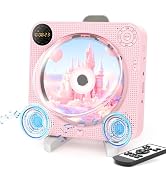
DESOBRY 1080P HD Mini DVD Player with HDMI for Smart TV Users with-DVD CD Player Features-supporting PAL/NTSC and USB/TF
$
35.99
$24.8
Inventory
Stock is running low. Hurry up
only [[pageData.stock]] left in stock
Selected product:
[[dectitle]]
more
retract
Please select
[[pageData.product_sku.sku_code_add.show_name]]
[[pageData.product_sku.sku_code_add.show_name]]
ADD TO
CART
BUY NOW
Free World wide Shipping
30 Day Money Back Gurantee
GUARANTEED SAFE CHECKOUT


A Breakdown That Highlights Everything
Mini DVD Player for TV: DESOBRY DVD Player
Compact and Portable
The DESOBRY Mini DVD Player is significantly smaller than regular models, measuring a mere 6.1 x 5.9 x 1.2 inches and weighing only 1.1 lbs. This makes it perfect for saving space and easy to carry around, whether you're at home or on the go. The included full-function remote control is intuitive and suitable for all ages, including kids and seniors.
Upgraded Drive and Enhanced Features
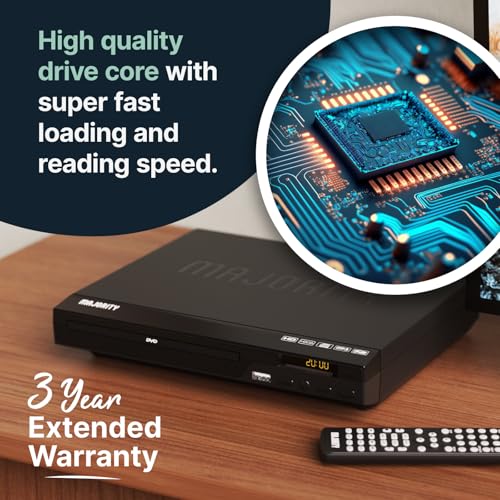
Equipped with an upgraded drive core, this mini DVD player can quickly read discs in seconds. Noise cancellation ensures a quiet loading process, while error correction makes it capable of handling scratched discs. Anti-shock protection guarantees a smooth and stable viewing experience, ensuring you never miss a moment. The Breakpoint Memory function allows the player to seamlessly resume playback from where you left off.
Versatile Connections and High-Definition Viewing
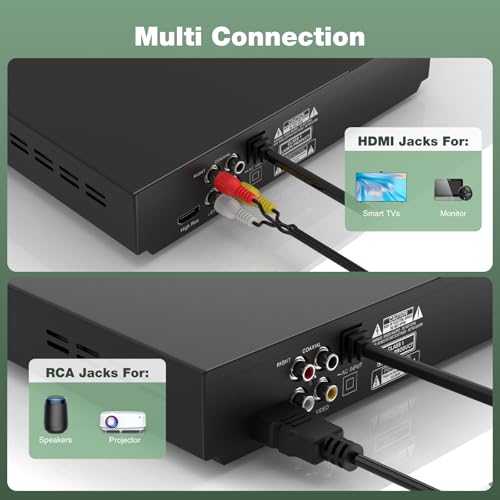
Connect this mini DVD player to smart TVs and projectors using the supplied HDMI cable. Alternatively, connect it to traditional TVs via the included RCA cable. Enjoy full HD 1080P upscaling resolution, providing an immersive audio and video experience that turns any room into a mini home theater.
Compatible with Multiple Formats and Media Storage
This region-free DVD player can play standard discs from all around the world, supporting formats such as CD, DVD, DVD±R, DVD±RW, CD-R/-RW, VCD, SVCD, KODAK PICTURE & PHOTO CD. It also supports USB/TF card input for playing multiple video and audio formats including MPEG-1V, MPEG-2V, H.263, XVID, DX50, DIVX, MP3, MP2, WMA, AC3, and PCM. Note: It does not support Blu-ray discs or MP4 files.
What You Get and Warranty
Our package includes 1Mini DVD Player, 1HDMI Cable, 1RCA Cable, 1USB Cable, 1Remote Control, 1Adapter, and 1*User Manual. We also offer a 1 YEAR WARRANTY and lifetime professional customer service & technical support.
Important Notes: - Blu-ray discs are not supported. - This device cannot be connected to a computer as an optical drive. - If you encounter issues reading a disc, please first check the disc format and clean the disc and laser head of the DVD player. If problems persist, gently push the movement back and forth by hand. For any assistance, feel free to contact us, and we will help you resolve the issue.
Warm Tips: - Before playing any disc, ensure it is in a supported format. - Regularly clean the disc and the laser head to prevent issues. - If you need further assistance, our support team is always available to help.




YOU MAY ALSO LIKE