- Home
-
Electronics & Technology
-
Other
- Stm Dux Plus For Ipad
- Stm Dux Plus For Ipad A16
- Stm Goods Ipad Case
- Ezgo Shuttle Throttle Cable
- Ezgo Throttle Cable 96 Long For 6 Seater Shuttle Golf Cart
- Status Audio Earbuds
- Status Earbuds
- Canon Eos Rebel T7 Dslr Camera Accessories
- Hootoo Shuttle Usb-C Hub
- Kubota M9540 Shuttle Shift Cable
- Modular Power Supply Cables Seasonic
- Refund Status Online Tracking Electronic Finder
- Slr Digital Cameras
- Small Electronics Spot Welder
- Smart Key Lockbox Electronic Lock Box Key Lock Box App Control
- Soundbar For Sansui Tv
- Space Shuttle Ssd External Hard Drive
- Technasonic Check-Go Pro Sweet Spot Electronic Golf Ball Liner
- Television Sansui 50
-
Samsung
- Samsung Headphones
- Samsung Headphones Bluetooth
- Samsung Headphones Case
- Samsung Headphones Over Ear
- Samsung Headphones Type C
- Samsung Headphones Wired
- Samsung Headphones Wired Type C
- Samsung Headphones Wireless
- Samsung Headphones Wireless Bluetooth
- Samsung Microphones
- Samsung Speakers
- Samsung Speakers Bluetooth
- Samsung Speakers Bluetooth Wireless
- Samsung Speakers For Monitor
- Samsung Speakers For Soundbar
- Samsung Speakers For Tv
- Samsung Speakers Set Bn96-18088A
- Samsung Studio Monitors
-
Dslr
- Dslr Camera Accessories
- Dslr Camera Accessories Canon
- Dslr Camera Accessories Canon D7500
- Dslr Camera Accessories Cute
- Dslr Camera Accessories For Photography
- Dslr Camera Accessories Kit
- Dslr Camera Accessories Nikon
- Dslr Camera Accessories Nikon D5600
- Dslr Camera Cases
- Dslr Camera Cases Compact
- Dslr Camera Lenses
- Dslr Camera Lenses For Canon
- Dslr Camera Lenses For Nikon
-
Sk
- Sk Hynix 16Gb 2Rx8 Ddr4 So-Dimm Pc4-21300 2666Mhz Memory Module
- Sk Hynix Ssd 1Tb
- Sk Hynix Ssd 2242
- Sk Hynix Ssd 2Tb
- Sk Hynix Ssd 4Tb
- Sk Hynix Ssd 512Gb
- Sk Hynix Ssd Heatsink
- Sk Hynix Ssd Internal Pc
- Sk Hynix Ssd Nvme
- Sk Hynix Ssd Sata
- Sk Hynix Tube T31 Ssd Flash Drive
- Sk Hynix Usb Flash Drive
- Sk Hynix Usb-C Flash Drive
-
Saramonic
- Saramonic - Lavalier Microphone With Lightning For Apple Iphone
- Saramonic Audio Adapter
- Saramonic Lavalier Microphone
- Saramonic Shotgun Microphone
- Saramonic Smartrig+ 2-Channel Xlr Microphone Audio Mixer
- Saramonic Soundbird V6 Super-Cardioid Shotgun Microphone
- Saramonic Sr-C2002 3.5Mm Female Trrs To Lightning Audio Adapter
- Saramonic Sr-Pax1 Two-Channel Audio Mixer, Preamp, Microphone Ad
- Saramonic Wireless Lavalier Microphone
- Saramonic Wireless Microphone
- Saramonic Wireless Transmitter
- Sansui
- Sonix
- Stem
- Sonic
- Seasonic
- Share
- Electronic
- Lube
- Samson
- Seca
-
Other
-
Food & Beverages
-
Sabra
- Sabra Avocado Toast Snack Pack
- Sabra Guacamole
- Sabra Guacamole And Rolled Tortilla Chips
- Sabra Guacamole Classic With Lime
- Sabra Guacamole Dip
- Sabra Guacamole Rolled Tortilla 2.8Oz
- Sabra Guacamole Singles
- Sabra Guacamole Snack Pack
- Sabra Guacamole Snacks
- Sabra Guacamole Spicy
- Sabra Guacamole Tostito
- Sabra Hummus
- Sabra Hummus 17 Oz
- Sabra Hummus Cups
- Sabra Hummus Garlic
- Sabra Hummus Packs
- Sabra Hummus Singles
- Sabra Hummus Snack
- Sabra Hummus Snack Pack
- Sabra Hummus Snack Pack Pretzels
-
Schweppes
- Schweppes Club Soda
- Schweppes Club Soda 1 Liter
- Schweppes Club Soda 12 Pack
- Schweppes Club Soda 24 Pack
- Schweppes Club Soda 7.5 Oz
- Schweppes Club Soda 7.5Oz/ 24 Cans
- Schweppes Club Soda Cans
- Schweppes Club Soda Mini Cans
- Schweppes Club Soda, 7.5 Fl Oz Mini Cans, 6 Pack
- Schweppes Ginger Ale
- Schweppes Tonic Water
- Schweppes Tonic Water Diet
- Schweppes Tonic Water Mini Cans
- Schweppes Tonic Water Sugar Free
- Schweppes Tonic Water Watermelon Mint
- Schweppes Tonic Water With Quinine
- Schweppes Tonic Water Zero Sugar
- Schweppes Tonic Water, 7.5 Fl Oz Mini Cans, 6 Pack
-
Sun
- Sun Maid Chocolate Covered Raisins
- Sun Maid Dried Fruit
- Sun Maid Raisins
- Sun Maid Raisins 13 Oz
- Sun Maid Raisins 144
- Sun Maid Raisins 2 Lb
- Sun Maid Raisins Boxes
- Sun Maid Raisins Bread
- Sun Maid Raisins Farmstand
- Sun Maid Raisins Mini Boxes
- Sun Maid Raisins Organic
- Sun Maid Raisins Organic Under 10
- Sun Maid Raisins Sour
- Sun Maid Yogurt Covered Raisins
-
Snapple
- Snapple Candy
- Snapple Fruit Punch Drink Mix
- Snapple Iced Tea K Cups
- Snapple Iced Tea K Cups For Keurig
- Snapple Iced Tea Lemon
- Snapple Iced Tea Lemonade
- Snapple Iced Tea Mix
- Snapple Iced Tea Packets
- Snapple Iced Tea Peach
- Snapple Iced Tea Zero Sugar
- Snapple Snack Boxes
- Snapple Swedish Fish Candy
- Snapple Zero Sugar Peach Tea
-
Sabritas
- Sabritas Chips Barcel
- Sabritas Chips Cream
- Sabritas Chips Fiesta Mix
- Sabritas Chips Jalapeño
- Sabritas Chips Ketchup
- Sabritas Peanuts
- Sabritas Tostitos Salsa Verde
- Sabritas Tostitos Salsa Verde 25 Pack
- Sabritas Turbos Flamas Corn Snacks, 9.25 Oz Bag
- Sabritas Turbos Flamas Flavored Corn Snacks 10 Oz Bag
- Coffee
- Santitas
- Samyang
- Other
- Sistema
- Sport
- Dried
- Mr
- Sani
- Slice
-
Sabra
-
Home & Kitchen
-
Other
- Sunny Designs Carriage House Dresser With Mirror
- Sunny Designs Furniture Carriage House
- 2 Slice Toaster Electric
- Australian Shepherd Home Decor
- Brio Train Sets Tracks Wooden
- Closet Organizers And Stor
- Drew Barrymore Kitchen Appliances 4 Slice Toaster
- Electric Toaster 4 Slice
- Floor Mirror Baby
- Headrest Mirror Baby Rear Facing
- Interior Design And Furniture Templates
- Medical Scale Seca
- Mirro Pressure Cooker Parts
- Mr Pen House Plan Interior Design And Furniture Templates
- Out House Design Shower Curtain Rings
- Park Designs House And Sunflower Hooked Rug
- Round Rug Light House Design For Kitchen
- Saramonic Audio Mixer
- Schmidt Cleaning Vinegar
- Schweppes Pink Mixer
- Seasonic Fanless Power Supply
- Semi Sheer Kitchen Curtain With House Design
- Snailax Heating Pad
- The Lord Is My Shepherd Home Decor
- Toaster Electronic Touch Screen 4 Slice
-
Star
- Star Bathroom Accessories
- Star Bathroom Accessories Set
- Star Furniture
- Star Furniture Bolts
- Star Furniture Chair
- Star Furniture Criss Cross Chair
- Star Furniture Height Adjustable Criss Cross Chair
- Star Furniture Lift Recliners
- Star Furniture Pull
- Star Furniture Rod Iron Foot Stools
- Star Furniture Stencil
- Star Furniture Tacks
- Star Home Decor
- Star Home Decorations
-
Spirit
- Spirit Halloween Animatronics
- Spirit Halloween Animatronics 2020
- Spirit Halloween Animatronics 2021
- Spirit Halloween Animatronics 2022
- Spirit Halloween Animatronics 2023
- Spirit Halloween Animatronics 2024
- Spirit Halloween Animatronics 2025
- Spirit Halloween Animatronics Clowns
- Spirit Halloween Animatronics Ghostface
- Spirit Halloween Animatronics Night Crawler
- Spirit Halloween Decorations
- Seca
- German
- Sistema
- Design
- Mirror
- Siena
- Sonix
- Stori
- Car
- Kidrobot
- Samsung
- Sog
-
Other
-
Toys & Games
- Other
-
Kidrobot
- Kidrobot Collectible Beetlejuice 2 Bob Phunny Plush Figure
- Kidrobot Collectibles In Vinyl Figures
- Kidrobot Gremlins Dancing & Singing Plush 8" Gizmo Dancing Toy
- Kidrobot Mini Figure
- Kidrobot Phunny 7.5" Blue Hawaiian Elvis Stitch Plush Toy
- Kidrobot Phunny Plush - Red Dragon Toy, 8 Inches
- Kidrobot Plush
- Kidrobot Yummy World
- Snowman
- Scooby
- Sistema
- Simpson
- Stem
- Toyota
- Toy
- Bff
- German
- Samurai
- Sega
- As
- Australian
-
Beauty & Personal Care
-
Schmidt
- Schmidt Beauty And The Beast
- Schmidt Deodorant
- Schmidt Deodorant For Men
- Schmidt Deodorant For Women
- Schmidt Deodorant For Women Rose
- Schmidt Deodorant For Women Sensitive
- Schmidt Deodorant For Women Spray
- Schmidt Deodorant For Women Vanilla
- Schmidt Deodorant Spray
- Schmidt Fragrance Free
- Schmidt Fragrance Free Deodorant
- Schmidt Fragrance Free Deodorant For Women
- Schmidt Fragrance Free Natural Deodorant
- Sally
- Sanrio
- Sanit
- Seen
- Slimfast
- Dr
- Other
- Louise
- Salicylic
- Sallys
- Samurai
- Shakira
- Silly
- Snapple
-
Schmidt
-
Clothing & Apparel
-
Sega
- Sega Clothing
- Sega Hatsune Miku
- Sega Hatsune Miku Cinnamoroll
- Sega Hatsune Miku Diva F Version Real Action Heroes
- Sega Hatsune Miku Figure
- Sega Hatsune Miku Figure Luminasta
- Sega Hatsune Miku Project Diva
- Sega Hatsune Miku Project Diva Mega 39'S Luminasta Etoile Statue
- Sega Hatsune Miku Series Luminasta Megurine Luka
- Spirit
- Other
- Leki
- Shakira
- Salonpas
- Samurai
- Snowman
- Sslr
- Scooby
- Shepherd
- German
- Japanese
- Jessica
- Orange
-
Sega
-
Sports & Outdoors
-
Steiner
- Steiner Binoculars
- Steiner Binoculars 10X42
- Steiner Binoculars 10X50
- Steiner Binoculars 7X50
- Steiner Binoculars 7X50 Eye Cups
- Steiner Binoculars 8X30
- Steiner Binoculars 8X42
- Steiner Binoculars Accessories
- Steiner Binoculars Carrying Case
- Steiner Binoculars For Adults
- Steiner Night Vision Binoculars
- Steiner Optics Marine Commander 7X50 With Compass
-
Leki
- Leki Hiking Poles
- Leki Trekking Poles
- Leki Trekking Poles Accessories
- Leki Trekking Poles Carbon Fiber
- Leki Trekking Poles Collapsible
- Leki Trekking Poles Cork
- Leki Trekking Poles Foldable
- Leki Trekking Poles For Hiking
- Leki Trekking Poles Rubber Tips
- Leki Trekking Poles Tips
- Leki Trekking Poles Women
- Stiga
- Sog
- Other
- Samurai
- Dakine
- Inno
- Mizuno
- Ogio
- Scooby
- Shade
- Shepherd
- Slimfast
- Space
-
Steiner
-
Health & Wellness
-
Snailax
- Snailax Back Massager
- Snailax Back Massager With Heat
- Snailax Cordless Neck Massager
- Snailax Foot Massager
- Snailax Foot Massager With Heat
- Snailax Full Body Shiatsu Back Massager
- Snailax Heating Pad For Back Pain Relief
- Snailax Massage Chair
- Snailax Massage Chair Pad
- Snailax Massager
- Snailax Neck Massager
- Snailax Shiatsu Massage Cushion
- Snailax Shiatsu Massage Cushion With Heat
- Snailax Shiatsu Neck & Back Massager With Heat
-
Salonpas
- Salonpas Arthritis Pain Relief Cream
- Salonpas Arthritis Pain Relief Gel
- Salonpas Arthritis Pain Relief Patches
- Salonpas Arthritis Pain Relief Patches For Hands
- Salonpas Back Patches For Pain Relief Extra Strength
- Salonpas Hot Capsicum Topical Analgesic Patches
- Salonpas Hot Capsicum Topical Analgesic Patches, 3 Ct
- Salonpas Pain Relief Patches - X-Large For Back
- Salonpas Pain Relief Patches Large
- Salonpas Pain Relief Patches Large - 9 Ct
- Salonpas Pain Relief Patches Uk
- Salonpas Pain Relief Patches, 9 Ct
- Salonpas Topical Analgesic Cream
- Slimfast
- Cofoe
- Sally
- Optimal
- Design
- Sanit
- Seca
-
Snailax
- Baby & Kids
- Jewelry & Watches
-
Pet Supplies
-
Scoop
- Scoop Away Cat Litter
- Scoop Away Cat Litter 25 Lb Box
- Scoop Away Cat Litter 38 Lbs
- Scoop Away Cat Litter 38Lb 4 Pack
- Scoop Away Cat Litter 4 Pack
- Scoop Away Cat Litter 4 Pack 42 Lbs
- Scoop Away Cat Litter 4 Pack 42 Lbs Complete Performance Plus
- Scoop Away Cat Litter 42 Lb
- Scoop Away Cat Litter Complete Plus
- Scoop Away Cat Litter Unscented
- Scoop Away Clumping Cat Litter 4 Pack 42 Lbs
- Scoop Away Kitty Litter 4 Pack
- Scoop Away Kitty Litter 42 Lbs
- Scoop Away Kitty Litter Clumping
- Scoop Away Kitty Litter Four Pack
- Scoop Away Litter
- Scoop Away Unscented Cat Litter
- Samyang
- Pet
- Seen
- Leki
- Sally
- Sanrio
-
Scoop
- Other
- Tools & Home Improvement
- Shoes & Footwear
- Flash Sale
- Cart
- Checkout
- About Us
- Contact Us
- My Account My Account
CART•[[chatnum]]
- No products in the cart.
-
-
-
specifications: [[item.skuinfo]]
price: [[item.currency]][[item.price]]
[[item.currency]][[item.allPrice]]
-
-
-
You'll also love
Price
[[listData.currency]][[listData.discount_price]]
[[listData.currency]][[listData.price]]
save [[parseInt((1-listData.discount)*100) ]]%
[[listData.product_sku.sku_code.show_name]]
more
retract
Please select
[[listData.product_sku.sku_code_add.show_name]]
[[listData.product_sku.sku_code_add.show_name]]
ADD TO CART
BUY NOW
ADD TO
CART
BUY NOW
TRUSTED STORE
This store has earned the following certifications.
- Certified Secure Certified
- 100% Issue-Free Certified
- Verified Business Certified
- Data Protection Certified
Unlock Exclusive Deals Now!
Limited-time special prices shop your favorites before they're gone! Click below to start saving!
Go to
see
loading...
loading...
loading...
loading...
loading...
loading...


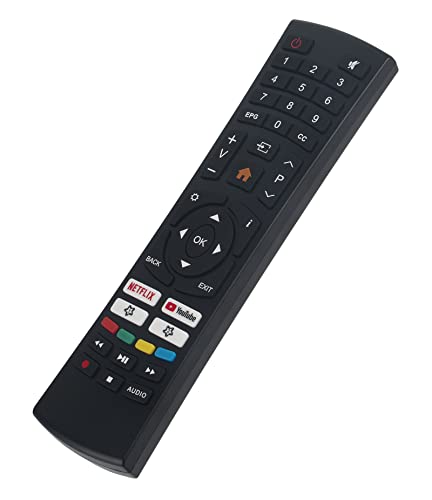
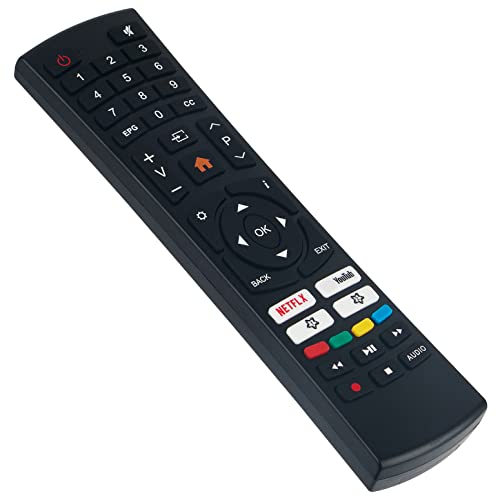
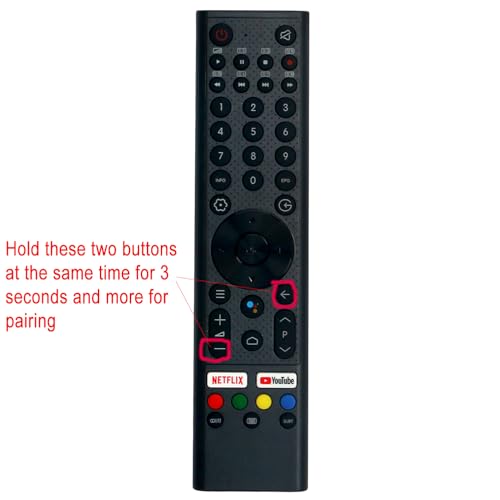
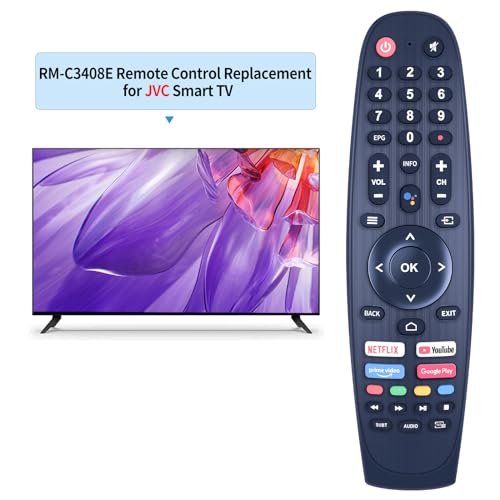
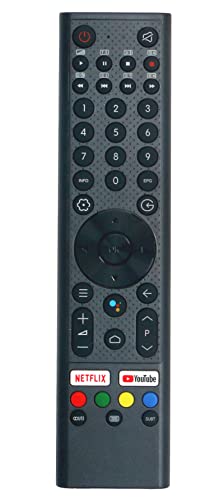
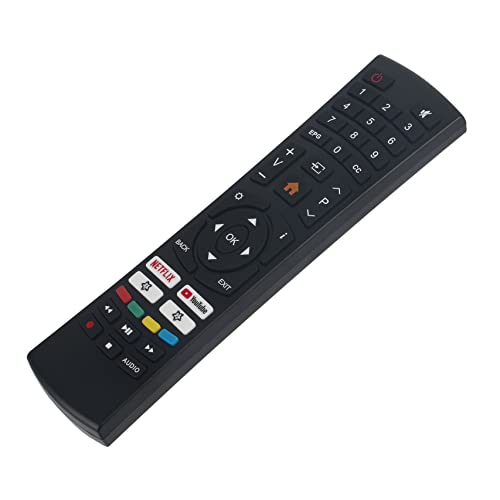
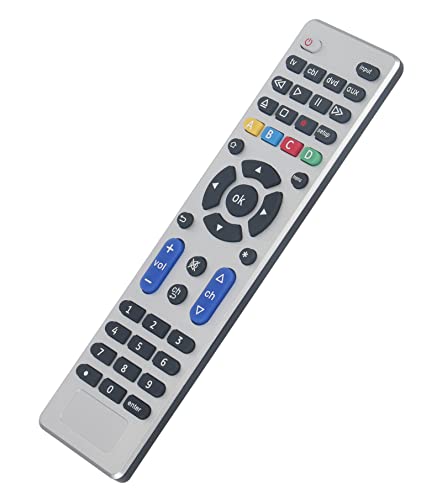
Universal Smart TV Remote Control for Samsung, LG, Vizio, Hisense, Sony, Philips, Onn, Sharp, RCA, Element, Westinghous
$
8.99
$6.8
Inventory
Stock is running low. Hurry up
only [[pageData.stock]] left in stock
Selected product:
[[dectitle]]
more
retract
Please select
[[pageData.product_sku.sku_code_add.show_name]]
[[pageData.product_sku.sku_code_add.show_name]]
ADD TO
CART
BUY NOW
Free World wide Shipping
30 Day Money Back Gurantee
TRUSTED STORE
100% Issue-Free
Secure Checkout
$10K ID Protect
GUARANTEED SAFE CHECKOUT


Product Highlights
Compatible Devices
This universal remote control is compatible with a wide range of TV brands, including: - Samsung, LG, Vizio, Sony, Hisense, Onn, Sharp, RCA, Element, Westinghouse, Sanyo, Emerson, Philips, JVC, Sceptre, Sansui, Panasonic, and Magnavox - Skyworth TV and Others - Additional Compatible Devices: - DVD/Blu-ray players - Media Streaming Players
Not Compatible Devices
This product is not compatible with: - Roku Streaming Sticks/Roku Sound Bar/Fir TV Sticks/TCL Fir TV/Insignia Fir TV/Toshiba Fir TV/AMZ Fir Stick/Fir TV Cube
If you are unsure about compatibility with your device, please contact us for assistance.
Simple Setup
Step 1: Locate the appropriate code for your device in the code list. Identify and mark all related codes.
Step 2: Press and hold the (SETUP) button for 3 seconds until the red light illuminates.
Step 3: Press and release the (TV/STR/AUD) button. The red light should blink once and stay on.
Step 4: Enter the first 4-digit code from the code list.
Step 5: Point the remote at the TV and test the buttons to ensure the TV responds as expected. If the buttons do not work, repeat steps 2-4 with a different code.
Note: If all codes fail, refer to page 7 for instructions on "Automatic Code Search."
Package Included
The package includes: - 1 Universal Remote Control - 1 User Manual - 1 Code List
Battery Requirements:
The remote control operates using 2 AAA alkaline batteries (batteries not included). It is important not to mix old and new batteries or different types of batteries.
After-Sales Service
Customer satisfaction is our priority. If you have any questions about your order or product, feel free to contact us, and we will respond within 24 hours on working days.


YOU MAY ALSO LIKE